For years, PC gamers have relied on the simple mantra: “If it runs Windows, it runs the game.” But the arrival of Windows 11 fundamentally shifted the operating system’s relationship with hardware, making features like TPM 2.0 and Secure Boot mandatory.
Now, Microsoft has gone a step further, releasing an official, tiered guide detailing not just the minimum specs to run the OS, but the actual hardware recommendations for a fluid, next-generation gaming experience.
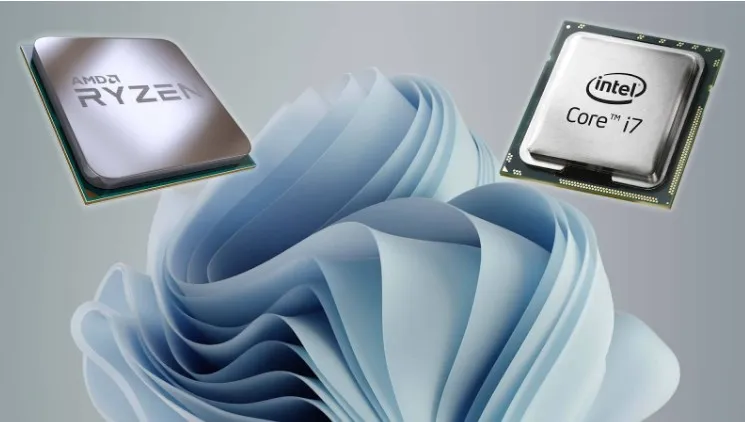
This isn’t your average “minimum system requirement” list. This is Microsoft drawing a clear line in the sand, dictating exactly what CPU, GPU, and RAM you need to harness Windows 11’s revolutionary gaming features like DirectStorage and Auto HDR. And for many mid-tier PC builders, the verdict is a cold, hard truth: your rig is already playing catch-up.
The Minimum vs. The Reality
While the technical minimum requirements for Windows 11 are deceptively low—a 1 GHz processor with two or more cores, 4 GB of RAM, and a DirectX 12 compatible GPU—these specs will barely run the operating system, let alone a modern AAA title.
Microsoft’s new guide cuts through the noise and delivers clear, actionable tiers for PC builders. This is the new gospel for frame-rate fanatics:
| Gaming Tier | Target Experience | CPU Recommendation | GPU Recommendation | RAM Recommendation | Key Feature |
| Entry-Level | 1080p, Medium Settings | AMD Ryzen 5 5600 or Intel Core i5-12400 (Quad-core) | NVIDIA GTX 1660 Super or AMD Radeon RX 6600 | 16 GB (Baseline) | Game Mode |
| Mid-Range | 1440p, High Settings | AMD Ryzen 5 7600 or Intel Core i5-13600K (6-core+) | NVIDIA RTX 3060 Ti / 4060 Ti or AMD Radeon RX 6700 XT | 16 GB | DirectStorage |
| High-End / 4K | 4K, Max Settings | AMD Ryzen 7 7800X3D or Intel Core i7-13700K (8-core+) | NVIDIA RTX 4080 or AMD Radeon RX 7900 XTX | 32 GB (Ideal) | DirectX 12 Ultimate |
The most shocking realization from this table? 16 GB of RAM is now considered the baseline, not the upgrade. Furthermore, the company explicitly suggests 32 GB for “serious players” who use heavy mods or run the most demanding titles.
DirectStorage: The NVMe Dictator
The real reason for the aggressive hardware push is Windows 11’s star gaming feature: DirectStorage.
DirectStorage is a Windows technology that allows the Graphics Card (GPU) to pull game data directly from an NVMe SSD, completely bypassing the Central Processing Unit (CPU) during the data transfer process. This eliminates the CPU bottleneck that has plagued PC gaming for decades, resulting in:
- Near-instantaneous load times: Say goodbye to loading screens and hello to seamless world transitions.
- Smoother streaming: Large, detailed game worlds can load assets faster, reducing texture pop-in and stuttering.
Crucially, DirectStorage requires an NVMe SSD to function, not a standard SATA SSD or, God forbid, a mechanical Hard Disk Drive (HDD). If your current gaming PC is still rocking older storage, you are actively choosing to miss out on the greatest speed advantage Windows 11 offers. Microsoft recommends a 1 TB NVMe SSD as the bare minimum for any modern gaming library.
The Visual Edge: Auto HDR and DirectX 12 Ultimate
Beyond speed, Windows 11 is built to deliver unparalleled visual fidelity.
- Auto HDR: This feature automatically upgrades the visuals of over a thousand older DirectX 11 and DirectX 12 titles, dynamically boosting color and light range for users with an HDR-compatible monitor. It’s an instant visual patch for your entire classic game library.
- DirectX 12 Ultimate: This is the graphics API that powers the future. It unlocks features like real-time Ray Tracing, Variable Rate Shading, and Mesh Shaders, which deliver lifelike shadows, reflections, and lighting. The High-End GPU recommendations (RTX 4080 / RX 7900 XTX) are essential to run these features at playable frame rates in 4 K.
⚙️ The Monitor Mistake You Can’t Afford
Microsoft also delivered a much-needed lesson in monitor synergy. They caution that even if you spend a fortune on a high-end GPU, the performance is wasted if your monitor can’t keep up. The advice is stark:
- Baseline Smoothness: Aim for at least 144 Hz refresh rate.
- Competitive Edge: For shooters, look for 165 Hz to 240 Hz.
- Response Time: A 1 ms to 3 ms response time is ideal to kill motion blur and ghosting.
The new guide is a wakeup call: Windows 11 isn’t just an operating system; it’s a dedicated gaming platform that demands a specific hardware foundation. Ignoring these recommendations means your cutting-edge software will be throttled by yesterday’s components. You can cling to your old hardware, but you’ll be missing out on the speed, security, and graphics that define the future of PC gaming.
The YouTube video below provides a detailed look at the performance differences between Windows 10 and Windows 11, which will help illustrate the value of meeting these new hardware recommendations.

I am a passionate content writer from the Chandigarh–Panchkula region. I am curious and love exploring diverse topics. At DailyBarta.in, I primarily write about video games and sports, bringing readers fresh insights, engaging analysis, and easy-to-understand breakdowns of the latest trends.