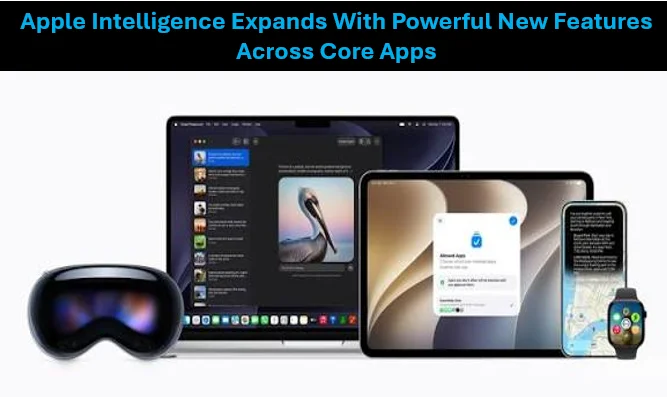

Over the past two years, the global technology industry has been in a mad dash to become the AI first to market, with tech giants deploying more sophisticated cloud-based AI models. At Apple’s Worldwide Developers Conference (WWDC), however, the Cupertino giant began to make a dramatic shift, announcing its next-generation “Apple Intelligence. Instead of trying to achieve some vague notion of chatbot capabilities, the company has woven very functional, highly contextual AI capabilities into the very fabric of iOS, iPadOS and macOS.
With advanced machine learning, Apple is trying to show that sophisticated AI can work well in a user’s everyday life without intruding on his or her personal data, by focusing on on-device processing and delivering a brand-new “Private Cloud Compute” standard.
Photos App: Smart Cleanup and Natural-Language Film Creation
One of the most visible and useful overhauls in the new Apple Intelligence umbrella is for the native Photos app. Backgrounds have always been a problem for mobile photographers of desired elements. To counter that, Apple added the feature ‘Clean Up’. The feature uses sophisticated spatial edge-detection to enable you to tap or brush on unwanted background elements, photobombers or unexpected shadows. The AI then automatically eliminates the object and replaces the empty area with the perfect matching texture and lighting, without altering the main subject.
The search feature in the photo library has been rethought in a tremendous manner beyond the basic photo editing. Users can now search for extremely specific moments by entering natural and descriptive phrases, like “Maya dancing in the rain with a red umbrella” or “David wearing his winter coat by the lake. The system automatically searches the video or image catalog, and instantly identifies the frame.
This intelligence is used to power the new “Memory Movie” feature. The user types a prompt that describes a story and the AI searches the user’s media, finds a story line from different locations and different faces in the videos, selects the most suitable video fragments and automatically edits them to match a time frame of an acoustic track from Apple Music.
Read also: Apple at 50- Transforming technology into emotion, experience and expression
Safari: Instant Summaries and Distraction Control
The Safari browser, which is built in, has gone beyond a passive content hub to become an analytical tool. A big addition is the “Highlights” engine, which scans any web page and immediately pinpoints the key information. For example, when you open a long-form article, a product review, or a travel blog, Safari can automatically create a quick summary card with the takeaways, restaurant addresses, flight details, or step-by-step instructions.
This is well-matched with the fresh “Distraction Management” resource, that has as its goal to bring focus back to web surfing. Users can tap to remove distracting features from a webpage that prevent them from reading the content, like pop up message boxes for newsletters, animated banners, or auto-playing video sidebars. Instead of rigid ad blocking rules, the system automatically evaluates the layout of the page and will gently fade the ad of your choice, leaving the text in focus, without leaving remnants of the ad on the page.
System-Wide Writing Tools: Rewriting, Proofreading, and Smart Mail
Along with the already mentioned Text-to-Speech, Text-to-Text and Text-to-Image feature, Apple Intelligence has also integrated a set of sophisticated “Writing Tools” that will occupy a permanent place in all text boxes on the system. They are native features of Mail, Notes, Pages and even third-party applications, and can be used to highlight text and then instantly modify its tone. A user can write an impromptu, rushed email, and then ask the program to reword it in a professional, encouraging, or concise style.
An advanced proofreading tool that will also identify grammar, punctuation and awkward word usage mistakes, along with clear and informative explanations of your errors, provided in a context-based manner.
This technology supercharges inbox management in the Mail app. Mail won’t show the usual first two lines of an incoming e-mail, which typically include greetings and pleasantries, but will instead show a smart, single-sentence summary of the actual message. In addition, new “Priority Messages” column automatically identifies the priority of incoming messages, and pushes time-sensitive ones, such as a same-day meeting cancellation, to the top of the user’s pile, such as a boarding pass update.
Read also: Apple is Set to Add Touchscreen to Its Second-Generation MacBook Neo
The Privacy Blueprint: On-Device Processing meets Private Cloud Compute
The key thing that sets Apple apart from its market adversaries is the robust privacy framework that underpins these features. Most of Apple Intelligence activities will be on-device and take advantage of the powerful processing power of its new chips, the A17 Pro and M-series chips. This means no user’s intimate daily habits go to a corporate data server; they are analyzed locally through the calendar, text messages and photo metadata.

A versatile writer mainly works on trending news, daily updates from politics, business, crime, current affairs and entertainment.