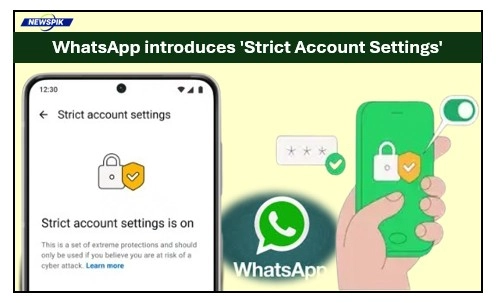

With digital surveillance and cross-border internet data flow surging, iMessage — one of the world’s most popular messaging applications — is becoming more vigilant. WhatsApp has now officially released the feature “Strict Account Settings” on January 27, 2026 – a lockdown-type high-security function that protects users from even the most sophisticated cyber threats.
End-to-end encryption, which has long been the centerpiece of WhatsApp’s brand and appeal, would mean privacy only if those “entry points” for hacks do their job. It was initially designed with journalists, activists and public figures in mind but is now being made available to all users who’d like an extra layer of digital armor.
What are ‘Strict Account Settings’?
And think of Strict Account Settings as a “security toggle” that can immediately switch your account from its typical configuration to more locked-down settings. Rather than making people fish through different menus to gloom their profile photo or send unknown callers to voicemail, this single-switch feature packs the service’s most powerful defenses into a simple toggle.
The app is on high alert when activated. It seems to believe that perhaps anyone who is not in your contact list and interacts with the app can be a risk, so it adapts the behavior of the application. It is Meta’s equivalent of Apple’s Lockdown Mode and Google’s Advanced Protection, and provides a refuge for people who might be targeted with state-sponsored spyware or by an organized hacking group.
WhatsApp Tries Out New Member Tags: What This Feature Really Does
How It Protects You: The Key Changes
This is why turning this feature on affects the way you use the app so much. Here’s a quick rundown of the specific defenses that snap into place when you flick the switch:
Media and Attachment Blocking
The most common element of spyware like “Pegasus” is a Trojan, which makes people download a malicious file that appears innocent, such as an image or PDF. WhatsApp with Strict Account Settings automatically prevents all attachments and media sent by non-contacts from accessing device storage. This stops “zero-click” attacks, in which a phone can be hacked by receiving a file, without necessarily even viewing it.
Silencing Unknown Callers
Previously, unknown calls were something to be ignored for practical reasons but now they can leak IP address in the P-Access-Network-Info header and exploit weaknesses in the call protocol. This tool mutes calls from unknown numbers without any setup. They will still appear in your “Calls” tab, but your phone won’t ring — making a significant dent in a huge distraction and possible security vulnerability.
Disabling Link Previews
If you paste a link, WhatsApp usually creates a preview (title and thumbnail). To achieve this, the app frequently interacts with the host server. Link Previews are turned off in strict mode. This prevents third party websites tracking your IP address and determining who you are, which they can do if you have an account with them (or even just visit the site) when making web requests.
Hardened Privacy Defaults
The feature locks up your account to the “Contacts Only” settings:
- Profile Photo: Your identity is kept visible to only the people in your contact list.
- Last Seen & Online Status: Strangers cannot track your digital footprint.
- Group Privacy: Never be added to random crypto-scam groups again – only your contacts can add you to groups.
The Tech Behind the Scene: Moving to ‘Rust’
In addition to this user-level feature, WhatsApp said it had undergone a huge technical change on its backend. The platform has replaced large parts of media handling C++ code with Rust, a modern language known for its memory safety.
Hacks, in other words were a result when an app “misbehaves” with memory and allows for the virus to overwrite critical data. With the help of Rust, WhatsApp has all but eradicated these sorts of bugs in their media libraries. Hackers are finding it much more difficult to hide spyware in a picture or video, even if that media was downloaded.
Should You Turn It On?
And it’s important to remember that for the average user, standard end-to-end encryption in WhatsApp provides nearly cutting-edge security. The Tight Account Settings are for people with a “high threat profile.”
- Turn it on if: You’re a journalist or government official, or if you are actively being harassed or targeted by unknown numbers.
- Keep it off if: You often get business callers or media from new contacts you haven’t saved (the feature may seem to make the app “dumb” by blocking these legit files).
How to Enable It
So if you are using a recent version of WhatsApp (January 2026 update) then the feature will be available at Settings > Privacy > Advanced > Strict Account Settings.
4 Mistakes That Could Cost You Your WhatsApp Account Forever
A New Standard for Privacy
With this change, WhatsApp is signaling that privacy isn’t only a matter of who can see your messages; it’s as much a question of who can find you. By empowering people to shrink their digital surface area, Meta is establishing a new standard for mobile security. Whether you are a high-profile activist or just need peace of mind, the new “lockdown” mode is a sensible shield in an ever-noisier digital world.

A versatile writer mainly works on trending news, daily updates from politics, business, crime, current affairs and entertainment.